Indoor cycling has transformed dramatically over the past few years. Gone are the days when riding inside meant staring at a blank wall while pedaling nowhere. Today’s technology allows you to connect your bike to virtual worlds, compete with riders across the globe, and follow structured training plans without leaving home.
Smart bike rollers represent one of the most exciting developments in indoor training equipment. Unlike traditional stationary trainers, rollers require balance and core engagement, making your indoor sessions feel more like actual road riding. When connected to training apps, these devices unlock a whole new dimension of cycling entertainment and improvement.
This comprehensive guide will walk you through everything you need to know about connecting your smart rollers to popular training platforms. Whether you’re a complete beginner or an experienced cyclist looking to upgrade your setup, you’ll find the information you need to get started.
Understanding Smart Roller Technology
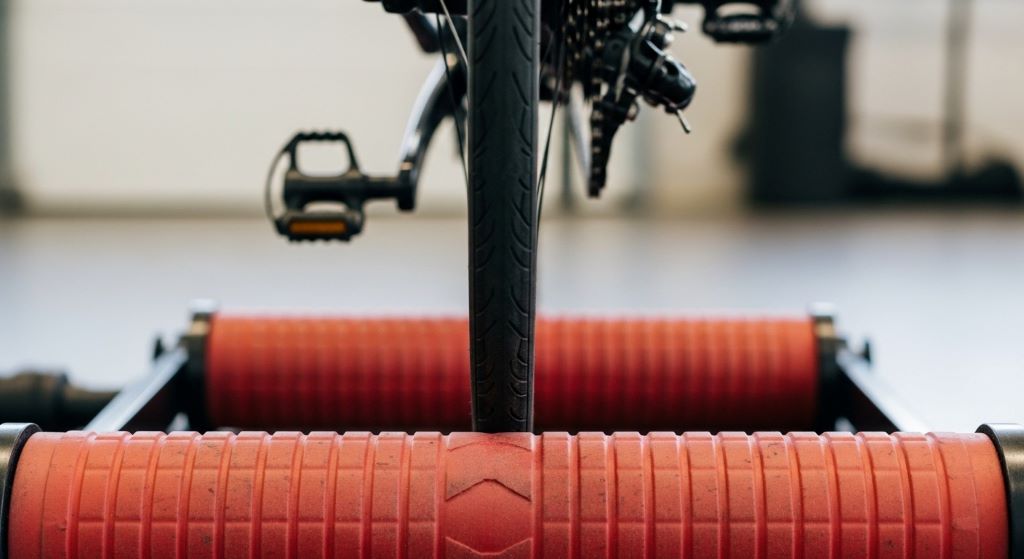
Before diving into the connection process, it’s helpful to understand what makes smart rollers different from traditional models. Regular rollers consist of three cylindrical drums that your bike sits on, requiring you to balance while pedaling. Smart rollers add electronic components that measure your performance and adjust resistance.
These advanced rollers use sensors to track your speed, cadence, and power output. Some models include controllable resistance units that can simulate hills and vary difficulty based on the virtual terrain you’re riding. This capability creates an immersive experience that responds to your chosen route or workout.
Most modern smart rollers communicate wirelessly through either Bluetooth or ANT+ protocols. Bluetooth cycling trainer technology has become the standard for consumer devices because it works seamlessly with smartphones, tablets, and computers without requiring additional hardware. ANT+ offers similar functionality and is particularly popular among serious cyclists who already own compatible devices.
The power measurement capabilities vary between models. Some rollers estimate power based on speed and resistance curves, while others include direct force measurement for more accurate readings. Understanding your roller’s specific features helps you choose the right apps and settings for your training goals.
Preparing Your Equipment for Connection
Successful connections start with proper preparation. Before attempting to pair your rollers with any app, make sure you have everything ready. This preparation saves time and reduces frustration during the setup process.
First, ensure your smart rollers are fully charged or plugged into power. Low battery levels can cause connection problems or unexpected disconnections during rides. Check your device’s manual for specific charging requirements and indicators.
Next, update your roller’s firmware if possible. Manufacturers regularly release updates that improve connectivity, fix bugs, and add features. Most brands provide instructions on their websites for checking and installing firmware updates. This step often requires connecting your rollers to a computer via USB or using a dedicated smartphone app.
Position your rollers in a location with good wireless signal strength. Bluetooth has a limited range, typically around 30 feet, but obstacles like walls and interference from other electronic devices can reduce this distance. Place your device running the training app within 10 feet of your rollers for the most reliable connection.
Make sure your smartphone, tablet, or computer meets the minimum requirements for your chosen training app. Older devices may struggle to run graphics-intensive programs smoothly. Check the app’s website or store listing for specific operating system versions and hardware specifications.
Installing and Setting Up Training Applications
The training app ecosystem offers numerous options, each with unique features and strengths. Choosing the right platform depends on your goals, preferences, and budget. Popular options include virtual riding environments, structured workout platforms, and data analysis tools.
Download your chosen app from the official app store or website. Avoid third-party sources, as these may contain outdated or modified versions that don’t work properly. Most apps are available for iOS, Android, Windows, and macOS, though features may vary slightly between platforms.
Create an account during the installation process. Many apps offer free trial periods that let you explore features before committing to a subscription. Take advantage of these trials to determine which platform best suits your needs.
During initial setup, the app will ask for basic information like your weight, height, age, and fitness level. Provide accurate data, as these details affect power calculations, training zones, and virtual avatar performance. You can usually update this information later if circumstances change.
Configure your display preferences before your first ride. Adjust screen layouts, data fields, and notification settings to match your preferences. Most apps allow extensive customization, so spend time exploring the options. You’ll appreciate having everything configured properly once you start riding.
Connecting via Bluetooth
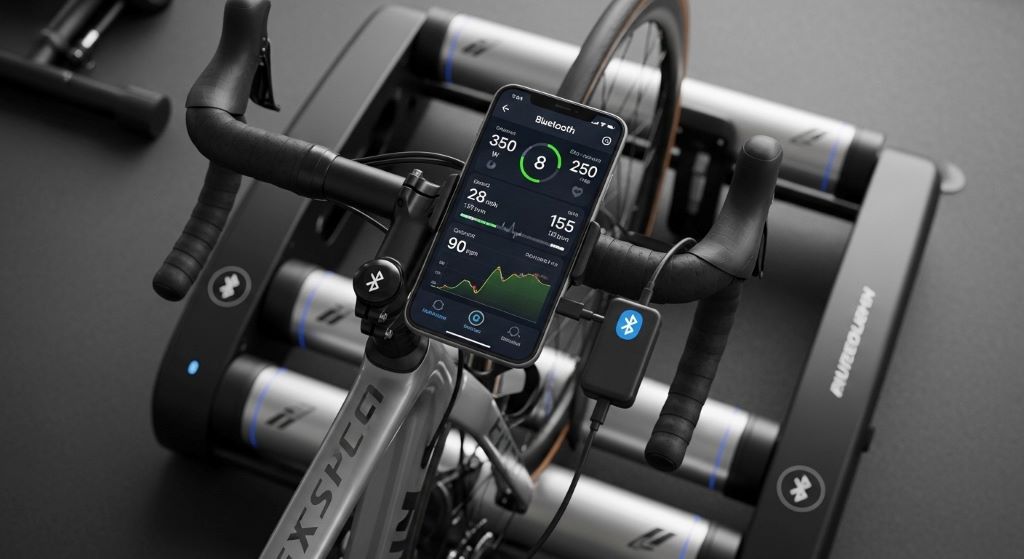
Bluetooth connectivity has become the standard for connecting Zwift compatible rollers and other smart training equipment. The pairing process is generally straightforward, though minor variations exist between different apps and devices.
Begin by opening your training app and navigating to the device connection or pairing section. This area is typically found in settings or appears automatically when you start a new ride. The interface will show available device types, such as power meters, heart rate monitors, and controllable trainers.
Activate your rollers by pedaling briefly or pressing the power button, depending on your model. This action wakes up the Bluetooth transmitter and makes the device discoverable. Some rollers enter discovery mode automatically when powered on, while others require you to hold a button for several seconds.
The app will scan for nearby devices and display a list of discovered equipment. Your rollers should appear with their specific name or model number. If multiple devices appear, check your roller’s display or manual to identify the correct one. Some apps show signal strength indicators to help identify the closest device.
Select your rollers from the list to initiate pairing. The connection usually completes within a few seconds, though first-time pairings may take slightly longer. Once connected, the app will display confirmation and may show current sensor readings like speed or power.
Many apps allow you to save device connections for future sessions. Enable this feature to skip the pairing process next time. Your equipment will automatically reconnect when you open the app, as long as the devices are powered on and within range.
Troubleshooting Connection Issues
Despite modern technology’s reliability, connection problems occasionally occur. Understanding common issues and their solutions helps you get back to training quickly.
If your rollers don’t appear during scanning, ensure they’re powered on and in pairing mode. Try moving your device closer to the rollers, as distance and obstacles can block signals. Close other apps that might be using Bluetooth, as some devices limit the number of simultaneous connections.
Interference from other wireless devices can disrupt Bluetooth signals. Wi-Fi routers, wireless headphones, and other Bluetooth devices in the area may cause problems. Try turning off nearby electronics or moving your setup to a different location if connection issues persist.
Sometimes restarting your smartphone, tablet, or computer resolves stubborn connection problems. This simple step clears temporary software glitches and resets Bluetooth adapters. Additionally, force-quit and reopen your training app to ensure it starts fresh.
Outdated app versions often cause compatibility issues. Check for updates in your device’s app store and install the latest version. Similarly, verify that your device’s operating system is up to date, as older OS versions may have Bluetooth bugs.
If problems continue, try unpairing your rollers completely and starting the pairing process from scratch. Remove the device from your app’s saved connections and from your device’s Bluetooth settings, then pair again as if connecting for the first time.
Optimizing Your Training App Settings
After establishing a connection, proper configuration ensures accurate data and the best possible experience. Each app offers different settings that affect how your rollers function during rides.
Calibrate your rollers according to the manufacturer’s instructions. Calibration ensures accurate power readings by establishing a baseline for resistance measurements. Most apps include calibration wizards that guide you through the process. Perform calibration regularly, especially after moving your equipment or when readings seem incorrect.
Set your trainer difficulty or simulation level appropriately. This setting controls how much your roller’s resistance changes in response to virtual terrain. Higher settings create more pronounced hills, making climbs harder but descents easier. Lower settings flatten the course, maintaining more consistent effort levels. Experiment to find the balance that matches your preferences and training goals.
Configure your power zones based on recent fitness testing. Accurate zones ensure workouts target the correct intensity levels. Many apps include built-in testing protocols that determine your functional threshold power. Schedule regular tests to update these values as your fitness improves.
Adjust your avatar’s equipment and appearance if your app includes these features. While mostly cosmetic, equipment choices can affect virtual performance slightly in some platforms. More importantly, personalizing your avatar makes the experience more engaging and enjoyable.
Enable automatic uploads to third-party services if you use additional training analysis tools. Many apps can send completed rides to platforms like Strava, TrainingPeaks, or Garmin Connect automatically. This integration keeps all your training data synchronized across different platforms.
Exploring Different Training App Options
Various platforms serve different purposes and preferences. Understanding what each offers helps you choose the right one for your needs.
Virtual riding environments focus on immersive graphics and social interaction. These apps recreate real-world locations or create fantasy worlds for you to explore. You can ride with friends, join group events, or race against other users. The gamification elements and visual appeal make indoor training more entertaining and less monotonous.
Structured workout platforms emphasize training plans and intervals. These apps provide detailed workouts designed by coaches, with on-screen prompts guiding you through each interval. The focus is on effective training rather than entertainment, though many include some visual elements to maintain interest.
Data analysis applications collect and process information from your rides. While they may include basic riding features, their strength lies in detailed performance metrics, trend analysis, and progress tracking. Serious athletes often use these alongside more entertaining riding apps.
Many cyclists use multiple apps to get the best of different worlds. You might do structured workouts on one platform during the week and join social rides on another during weekends. Most equipment can pair with different apps, though usually only one at a time.
Maximizing Your Indoor Training Experience
Successfully connecting your equipment is just the beginning. Getting the most from your indoor training requires attention to several additional factors.
Create a dedicated training space that’s comfortable and motivating. Good ventilation is crucial, as indoor riding generates significant heat. Position a fan directly in front of you to simulate outdoor airflow and prevent overheating. Consider the noise level if you live in an apartment or share walls with neighbors, and use a quality trainer mat to reduce vibration transmission.
Invest in a stable bike support system. While rollers naturally require balance, some riders prefer additional security, especially when first starting. Front wheel stabilizers or guide rails can boost confidence without eliminating the balance benefits that make rollers valuable.
Stay hydrated during indoor sessions. The lack of natural cooling from outdoor riding means you’ll sweat more heavily. Keep water bottles within easy reach and drink regularly throughout your ride. Consider adding electrolyte supplements for longer sessions.
Plan your training sessions purposefully. The convenience of indoor riding can lead to unfocused efforts that don’t contribute meaningfully to fitness gains. Follow structured plans, vary your workouts, and include appropriate recovery sessions. Most apps provide training plans designed by professional coaches.
Track your progress over time. The detailed data from smart rollers provides valuable insights into your improvement. Review metrics regularly to identify trends, celebrate achievements, and adjust training when progress stalls.
Maintaining Equipment and Software
Proper maintenance ensures reliable connections and accurate data over time. Regular care prevents problems and extends the life of your equipment.
Clean your rollers regularly, especially the drums that contact your tires. Accumulated rubber and debris can affect performance measurements. Use a damp cloth to wipe down surfaces, and check for any signs of wear or damage.
Keep your training app updated to the latest version. Developers continuously improve connectivity, fix bugs, and add features. Enable automatic updates if available, or check manually on a regular schedule.
Monitor your device’s storage space. Training apps, especially those with rich graphics, can consume significant storage. Recorded rides also accumulate over time. Clear old data periodically and ensure your device has adequate free space for smooth operation.
Test your setup occasionally even when everything seems fine. A quick connection check before important workouts prevents last-minute frustrations. This practice also helps you stay familiar with the pairing process in case you need to troubleshoot later.
Understanding Subscription Models and Costs
Most training apps operate on subscription models, though some offer limited free versions. Understanding the costs helps you budget appropriately and choose platforms that provide good value.
Free tiers typically include basic functionality like device connection and simple rides. Premium features such as structured workouts, detailed metrics, and full virtual world access require paid subscriptions. Many apps offer monthly and annual payment options, with annual plans providing significant savings.
Some platforms include free trial periods for new users. These trials let you explore all features before committing financially. Take full advantage of trial periods to determine if an app meets your needs and justifies the cost.
Consider the total cost of your indoor training setup when budgeting. Beyond the app subscription, factor in your smart roller purchase, any additional accessories, and potential internet bandwidth increases if streaming high-quality graphics.
Family or household plans can reduce per-person costs if multiple cyclists in your home want to use the same app. Some platforms offer discounted multi-user subscriptions or allow profile switching within a single account.
Integrating Additional Sensors and Devices
While smart rollers provide core functionality, additional sensors can enhance your training data and experience. Most apps support multiple simultaneous connections.
Heart rate monitors provide crucial information about your cardiovascular effort. Chest straps offer the most accurate readings, though wrist-based optical sensors have improved significantly. Monitoring heart rate helps ensure you’re training at the correct intensity and can reveal important trends in fitness and recovery.
Cadence sensors track your pedaling rate, which is important for efficiency and specific training goals. While some smart rollers include cadence measurement, separate sensors often provide more accurate data. Many training plans specify target cadence ranges for different workout types.
Speed sensors can supplement or verify your roller’s measurements. Redundant data sources help identify potential calibration issues or sensor malfunctions. Having backup measurements ensures data reliability.
Pairing multiple devices follows the same general process as connecting your rollers. Most apps display all available device types and let you select which sensors to use for each metric. Configure preferences to prioritize your most accurate sensors when multiple options exist.
Conclusion
Connecting smart bike rollers to training apps opens up a world of indoor cycling possibilities. The process involves understanding your equipment’s capabilities, properly preparing your devices, installing appropriate apps, and following correct pairing procedures. While the initial setup requires some attention to detail, the result is a seamless training experience that brings outdoor riding dynamics into your home.
Modern Bluetooth cycling trainer technology makes connections straightforward and reliable once you understand the basic principles. Whether you choose Zwift compatible rollers or other brands, the fundamental connection process remains similar across platforms. Taking time to properly configure settings and optimize your setup ensures accurate data and an enjoyable experience.
Remember that successful indoor training extends beyond just connecting equipment. Creating a comfortable training space, following structured plans, and maintaining your gear all contribute to long-term success. The combination of smart rollers and training apps provides powerful tools for improving fitness, but your commitment and consistency ultimately determine results.
Start with basic connections and gradually explore advanced features as you become comfortable with the technology. Don’t hesitate to experiment with different apps during free trial periods to find the platform that best matches your goals and preferences. With everything properly connected and configured, you’ll find indoor training can be nearly as engaging and effective as riding outdoors.
Frequently Asked Questions
Do I need a special bike to use smart rollers with training apps?
No, most standard road and mountain bikes work perfectly with smart rollers. However, you’ll need to ensure your bike is mechanically sound and properly set up. Some riders prefer using a dedicated indoor bike to avoid wearing out their outdoor equipment. The key requirement is that your bike fits properly on the rollers and has tires suitable for indoor use.
Can I use smart rollers with multiple training apps?
Yes, you can use your rollers with different apps, though typically only one at a time. You’ll need to disconnect from one app before pairing with another. Many cyclists maintain subscriptions to multiple platforms and switch between them depending on their daily training goals. The pairing process is quick once you’re familiar with it.
How accurate are power measurements from smart rollers?
Accuracy varies by model and price point. Higher-end rollers with direct force measurement typically provide accuracy within 2-3 percent, comparable to dedicated power meters. Entry-level models that estimate power from speed may have accuracy ranges of 5-10 percent. For most training purposes, consistency matters more than absolute accuracy.
What internet speed do I need for training apps?
Basic functionality requires minimal bandwidth, often working with connections as slow as 3 Mbps. However, high-quality graphics and smooth video streams benefit from faster connections of 10 Mbps or more. Downloaded routes use less bandwidth than live-streaming content. Most apps offer quality settings to adjust for different connection speeds.
Why does my connection drop during rides?
Connection drops usually result from interference, low battery, or distance issues. Ensure your rollers are fully charged and your device is within 10 feet of the equipment. Close unnecessary apps that might compete for Bluetooth access. Moving away from sources of wireless interference like routers or microwaves can also improve stability.
Related Topics:
What is a BMX Bike Used For: Discover the Versatility of BMX Bikes
What Size Women’s Bike Do Need: Find the Perfect Fit for Your Cycling Adventure!